
แนวทางการ Upgrade จาก Windows 10 ไป Windows 11
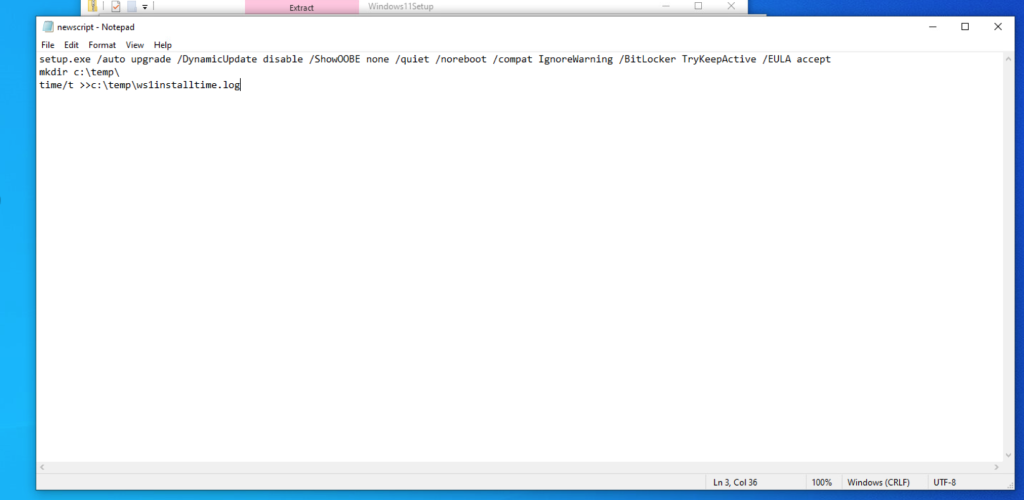
ทำ script–>setup.exe /auto upgrade /DynamicUpdate disable /ShowOOBE none /quiet /noreboot /compat IgnoreWarning /BitLocker TryKeepActive /EULA accept
mkdir c:\temp\
time/t >>c:\temp\ws1installtime.log. (ดูว่าทำงานเมื่อไร)
1.Upload – Win11 installation -ไปที่ Workspace ONE

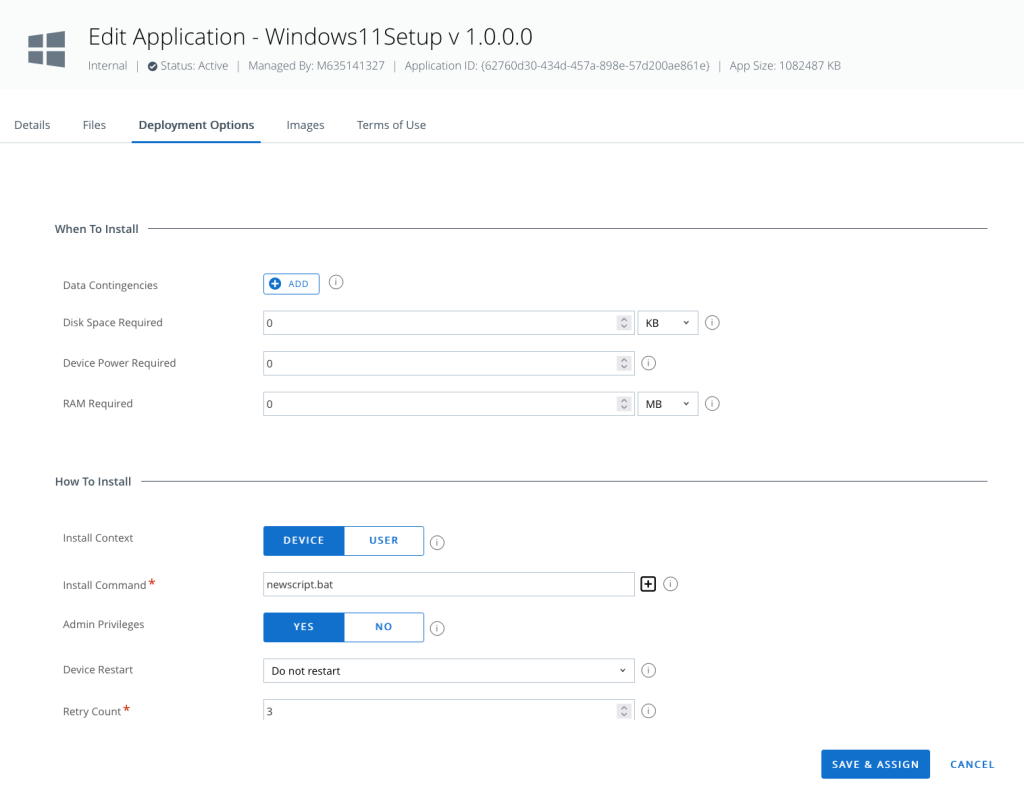
2.อ้างอิง bat file ที่เราเตรียมไว เข้าไปที่ Workspace ONE 
3.หลังจากที่ Assign device , เข้าไปดู log ที่เครื่อง Client
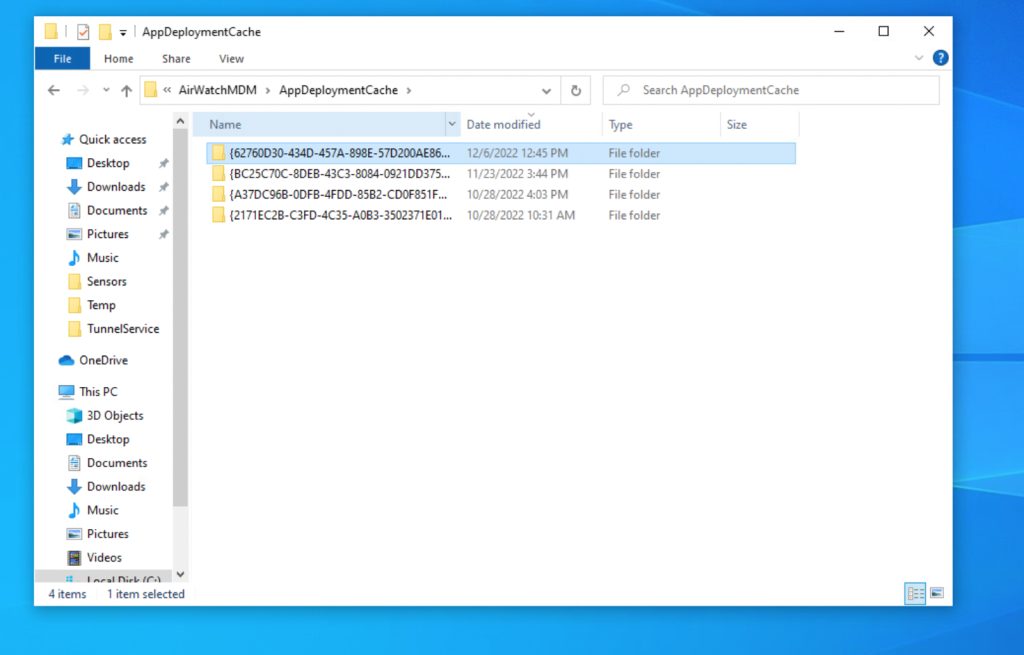
4.เปิดดู log file

จะใช้เวลานาน หน่อย เนื่องจาก package มีขนาดใหญ่
ง่ายๆกับ Workspace ONE…
Leave a Reply